


Talkatone: Texting & Calling
3.561.15K Reviews
App Specs
- Version
- 10.6.1
- Updated On
- License
- Free
- Downloads
- 10,000,000+
- Developer
- Talkatone, Llc
- Categories
- Communication
- Platform
- Android, iOS
Screenshots
 Analysis by AppCompare
My first week with Talkatone: Texting & Calling was appealing for a simple reason: it gave me another way to reach people without making a mobile plan the center of the conversation. As a communication app from Talkatone, Llc, it is built around calling and texting through an internet connection. That makes it most useful as a practical extra, rather than an automatic replacement for every phone service I already rely on.
The distinction matters. Talkatone can be handy when I’m somewhere with dependable Wi-Fi and want to keep a separate contact number, but it still depends on the quality of that connection. I’d treat it as a useful option to have ready, then decide over time whether it fits the way I actually communicate.
Where a second calling option earns its place
A realistic use is keeping personal and public contact details apart. If I’m arranging a one-off sale, coordinating a short-term project, or sharing a number with someone I don’t know well, a separate number can offer a bit of distance from my usual line. It doesn’t make every interaction private or risk-free, but it can help me avoid handing out my primary number for a temporary need.
It can also make sense for someone who spends time in places with reliable Wi-Fi and wants another way to call or text when their usual setup is inconvenient. The key is to test the app in the places where I’d use it: a familiar home network is not a guarantee that a busy café, hotel, or public hotspot will feel equally dependable. I’d make an important call using my regular service if the connection were uncertain.
What to check before relying on it
Before making Talkatone my everyday route to someone, I’d try a short call and a text with a person I can ask for honest feedback. I’d listen for delays, check whether both sides can follow the conversation, and see how messages behave on the Wi-Fi networks I use most. This small test is more useful than judging a calling app from its first successful call.
I’d also tell important contacts which number I’m using. A separate number is only helpful if people recognize it and know where to reply. For a work contact, family member, or time-sensitive plan, I would not assume someone will notice a new caller ID or check an unfamiliar thread. Keeping the number’s role clear prevents the convenience of a second line from turning into missed communication.
How it fits beside familiar alternatives
Compared with ordinary carrier calling, Talkatone’s main appeal is the internet-based route and the option of using a separate number. A carrier line is often the simpler choice when I need a call to work away from Wi-Fi; Talkatone is more compelling when I have a stable connection and want flexibility. Messaging services tied to an existing account can be easier for friends who already use them, while Talkatone’s phone-number approach may suit conversations with people who are not on the same app.
Worth Reading Before You Choose

EA SPORTS FC Mobile 26 Is a Bigger Football Game, but It Takes Time

Flipboard Shows What News Apps Must Do Beyond the Feed

Switching to Android Auto Means Rethinking Your Driving Routine

Google Calendar Makes a Crowded Week Easier to Manage

Ludo King Makes the Most of the Minutes Between Plans

Baby Panda World Brings Quick Play to Modern Phones, but Its Game Library Feels Busy
Those options solve different problems, so I wouldn’t switch everything over just because Talkatone is available. I’d keep the method that already works for urgent calls and use this as an additional channel where its number and Wi-Fi dependence are advantages. That modest role is a strength: there’s no need to force one app to handle every contact.
Who benefits most, and who may prefer something else
I can see Talkatone being a good fit for someone who wants a budget-conscious way to place calls and send texts over Wi-Fi, values having a separate number, and is comfortable checking connection quality. It may also suit someone who needs an occasional communication channel rather than a full-time replacement for a carrier plan. Its appeal depends less on novelty than on whether those situations recur in everyday life.
I’d hesitate to recommend it as the only way to reach me if I regularly travel through places with unreliable internet, need predictable availability, or cannot risk a call taking extra time to connect. Someone whose contacts all prefer a particular messaging platform may find that platform more convenient for everyday chats. And if a conventional phone number and carrier service already meet every need, adding another app may create more to manage than it saves.
First Impressions and Setup
Setting up Talkatone was a breeze. I downloaded it from the app store, and within minutes, I was all set to make my first call. The interface is straightforward, and for someone like me who’s not a tech wizard, that's a huge plus. All you need is a Wi-Fi connection, and you're good to go.
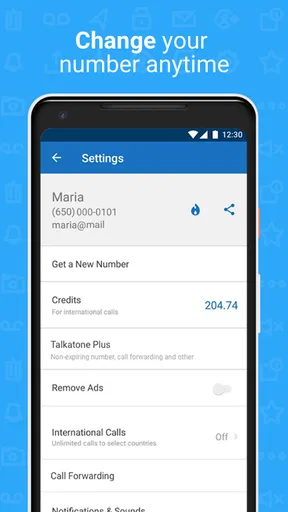
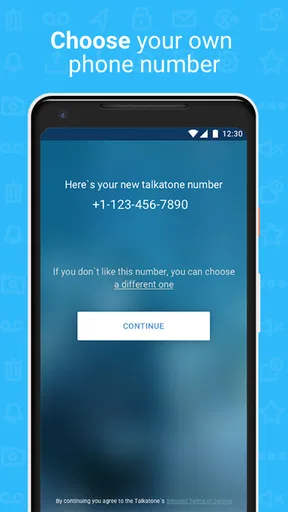
The app offers a free phone number in the US or Canada, which is pretty sweet if you want to keep your real number private. It’s like having a secret identity but for practical reasons. You can text and call anyone, even if they’re not using the app, which is a major advantage.
Features That Stand Out
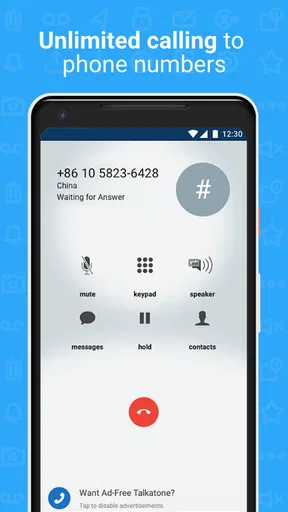
One of the standout features is that you can make unlimited calls and texts over Wi-Fi. It’s like having a mobile phone plan without the hefty bills. The call quality is surprisingly good, even better than I expected for a free app. You know that moment when you’re talking and you get those annoying cutouts? Thankfully, that didn’t happen.
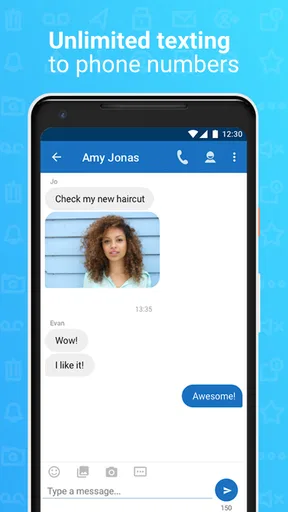
The texting feature is also robust. You can send pictures, voice memos, and even emojis. Let’s be honest, what’s a text without a good emoji? The app allows you to customize your notifications, which, for someone who gets distracted easily, is a life-saver.
Usability and Experience
Talkatone’s user experience is smooth. The app is intuitive and doesn’t bombard you with ads, which is a huge relief. The navigation feels natural, and everything is where you’d expect it to be. The app doesn’t lag, even when you’re switching between calls and texts.
Another thing I loved is that it doesn’t drain your battery like some other communication apps. I could go about my day and not worry about my phone dying mid-call. Also, you can use it on both Android and iOS, so no worries about compatibility issues if you decide to switch phones.
When Things Get Tricky
Now, while Talkatone is pretty awesome, there are a few quirks. Sometimes, the app takes a moment to connect the calls, especially if your Wi-Fi isn’t strong. It’s not a deal-breaker, but something to keep in mind if you’re in a hurry.
Also, while the app is free, there are in-app purchases if you want to remove ads completely. The ads aren’t intrusive, but if you’re someone who prefers an ad-free experience, it might be worth considering.
"Talkatone is like having a phone plan without the commitment — perfect for my budget-friendly lifestyle."
What changes after the novelty fades
For me, the real test is whether I remember to use a second calling app after the first few days. A separate number is valuable only if I have a clear reason to keep it: perhaps I use it for a recurring volunteer commitment, occasional online listings, or a group that prefers calls over app-based chat. If I install it without assigning it a purpose, I’m likely to drift back to the number and messaging habits I already have.
A simple routine can make it more useful without turning it into a chore. I’d decide which people or situations belong on the Talkatone number, save those contacts clearly, and keep the app’s notifications configured so that messages from that channel are noticeable but not constantly distracting. That is a better long-term approach than giving the number out widely and then trying to remember which conversations might arrive there.
Costs, expectations, and everyday trade-offs
Talkatone is free to install, and it has a 3.7 average from around 195,000 ratings, with more than 10 million installs. Those figures suggest that many people have tried it, but they don’t tell me whether it will suit my network, contacts, or habits. The app is rated for Everyone, and its in-app purchases range from $0.99 to $14.99 per item, so I’d check what an offered purchase covers before paying rather than assuming every useful function requires an upgrade.
That last point is worth keeping in perspective. A free starting point can be attractive, but the best value depends on whether I use the service often enough to justify any optional spending. If I only need a second number for a brief task, I’d avoid buying anything until I know the app has solved that specific problem. If I use it regularly and the available purchase addresses a real annoyance, then I can weigh that cost against the convenience instead of treating an upgrade as automatic.
There is also a maintenance cost that has nothing to do with money: remembering which number I gave to whom, checking the right inbox, and keeping the app available when I expect a reply. That is manageable for a dedicated purpose, but it can become messy if I spread conversations across a carrier line, several messaging services, and Talkatone without a plan. I’d keep its role narrow enough that I can explain it in one sentence.
Small habits that prevent avoidable frustration
I would not use a new number casually for a time-critical exchange until I had confirmed that incoming replies reach me as expected. For a pickup or appointment, I’d send a quick test message first and make sure the other person knows which number to use. If the conversation is important, I’d keep a backup route available rather than assuming an internet call will connect instantly in every setting.
For calls, I’d also choose the network before the conversation begins. Moving between Wi-Fi zones or using an overloaded connection can make an internet-based call less predictable, so I’d place longer or more important calls from a stable spot where I can stay connected. This is a practical advantage of testing the app at home or at work first: I learn where it is dependable before I need it to be.
Version and ongoing fit
The current version is 10.0.0, and Talkatone was released on February 21, 2012. I see that history as a reminder that this is an established kind of service, not a novelty I should judge only by its first call. The more useful question is whether it continues to earn a place in my weekly routine: do I make use of the separate number, do my contacts answer it, and does Wi-Fi calling solve a problem often enough to offset one more inbox to check?
On Android, the stated minimum operating system is version 6.0. That gives potential users a concrete compatibility check before they install, while people changing phones should still make sure the app and their account setup are ready on the device they intend to use. A communication tool is only convenient if I can reach it when I need it, so I’d avoid leaving setup or number-sharing until the day of an important call.
Long-term verdict
Talkatone is a communication app, not a universal substitute for a carrier line, and I think it works best when I’m honest about that distinction. Its combination of calling, texting, Wi-Fi use, and a separate number can be genuinely handy, especially for people who have a recurring reason to keep personal and other contacts apart. If dependable service away from Wi-Fi is my priority, or my contacts already live comfortably in another messaging app, a different option may fit better.
Would I recommend Talkatone? Absolutely. It’s perfect for anyone who wants to keep their communication costs down while staying connected. The app is user-friendly, reliable, and offers a ton of value without breaking the bank. Just make sure your Wi-Fi is up to par, and you’ll be golden.
So, if you’re in the market for a new texting and calling app, give Talkatone a shot. It might just become your go-to communication tool, just like it did for me!
Pros
- Free calls and texts to U.S. and Canada.
- No SIM card needed for use.
- Easy setup with a user-friendly interface.
- Works over Wi-Fi and mobile data.
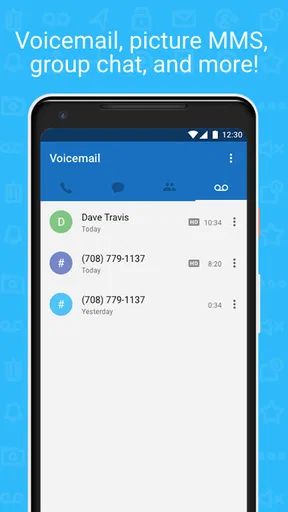
- Offers voicemail and call forwarding.
Cons
- Ads can be intrusive at times.
- Limited international call options.
- Requires internet for all functions.
- Number may expire if inactive.
- Some users report call quality issues.
FAQs for Talkatone: Texting & Calling
What is Talkatone and how does it work?
Talkatone is a mobile app that enables free texting and calling over Wi-Fi or mobile data. By providing users with a U.S. or Canadian phone number, it allows them to make calls and send texts without using cellular minutes. Ideal for travelers, it can replace traditional phone services in areas with reliable internet.
Is Talkatone free to use?
Yes, Talkatone offers free calls and texts within the U.S. and Canada. However, international calls and texts may incur charges. Users should check the app's pricing for specific regions. The app is supported by ads, but a subscription option is available to remove them and access additional features.
What are the system requirements for Talkatone?
Talkatone is available for both Android and iOS devices. For Android, it requires version 5.0 or higher, and for iOS, it requires version 11.0 or later. It runs efficiently on most smartphones and tablets, utilizing Wi-Fi or mobile data for VoIP services. Ensure your device meets these requirements for optimal performance.
Can Talkatone be used internationally?
While Talkatone provides free calling and texting within the U.S. and Canada, it can also be used internationally. Users need a stable internet connection to make calls and texts abroad. However, international rates apply for calls outside the free regions, so checking the app's pricing details before traveling is advisable.
How does Talkatone handle privacy and security?
Talkatone takes privacy and security seriously by encrypting calls and messages to protect user data. It does not store call logs or messages on its servers, ensuring user information remains private. Users should always review the app’s privacy policy and terms of service to understand how their data is managed.


